


What gets harder on a small screen
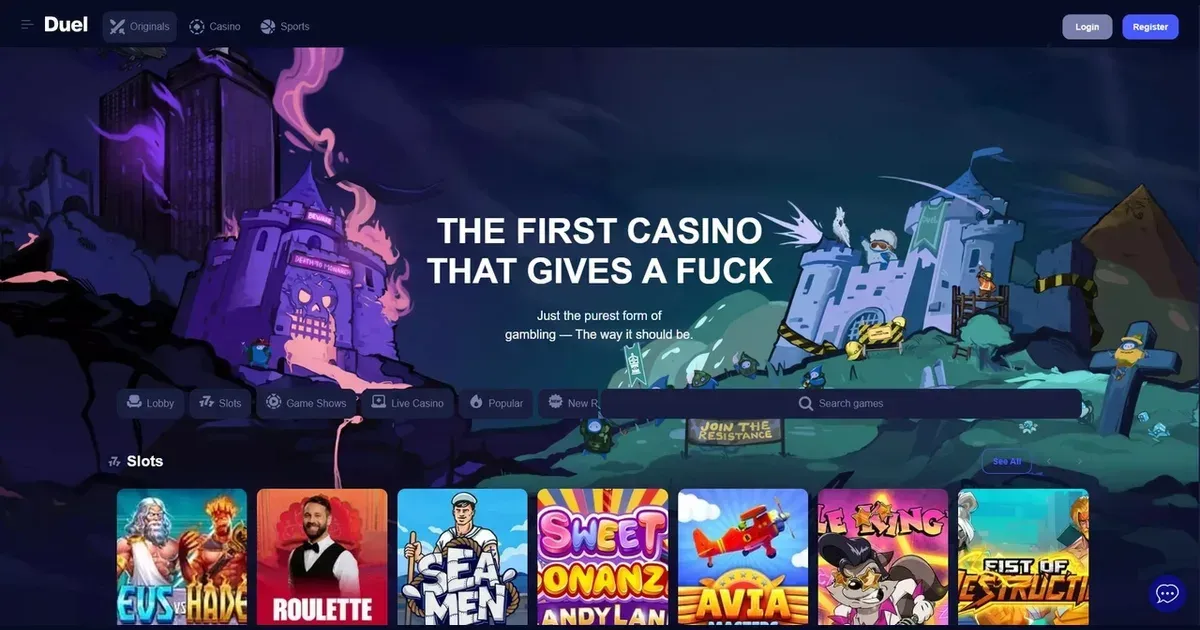
Duel runs in a mobile browser, and while the core experience translates, certain tasks become more awkward on a phone. Verification uploads — submitting identity documents during KYC — can be fiddly when you're switching between camera, photo library and browser tabs on a device with a screen measured in inches. The operator requires standard documents for account verification, and doing that from a laptop is often simpler.
Live dealer games that display multiple camera angles or betting grids with dozens of options can feel cramped on a handset. The platform offers live games including Castle Roulette, and while they load, you're working with less screen real estate for chip placement and chat.
Long responsible gambling sections and terms-and-conditions pages are harder to read on mobile — you'll scroll more, and skimming a dense wagering table or a list of restricted countries takes longer. If you're checking a specific rule before a withdrawal, a desktop browser saves time.
Practical checks before you play
Use a secure connection — public Wi-Fi at a café or station leaves your login exposed. If you must play on shared networks, a VPN adds a layer of protection, though the operator's site does not require one.
Type the address yourself rather than following a link from a message or social-media post. Phishing attempts often mimic legitimate casino domains, and a small screen makes it harder to spot a fraudulent URL. Bookmark the real site after your first visit.
Log out when you're done, especially on a device that others might pick up. Duel's responsible gambling tools include a cooling-off period and self-exclusion, but neither protects your session if you leave your account open on a phone lying on the kitchen table.
Set deposit limits and session reminders before you start — it's easier to stick to a plan you made while sober and unhurried than to impose one mid-session when you're three spins deep and your battery is at 12%.
Accessing the platform from a phone
Open a mobile browser — Safari on iOS, Chrome or Samsung Internet on Android — and navigate to the operator's site. You log in with the same username and password you'd use on a laptop; there is one account, and it works across devices.
The site detects your screen size and adjusts its layout accordingly. No separate mobile domain exists, and no download is required to get started.
Registration follows the same steps as on desktop: you provide an email address, choose a password, confirm your age (you must be 18+) and accept the terms. The operator is licensed by the Government of the Autonomous Island of Anjouan, Union of Comoros, and that licensing framework applies regardless of how you access the platform.
Browser versus a native application
Duel does not publish details of a standalone iOS or Android app. The experience described here is browser-based: you visit the site, log in and play without installing anything.
A browser session has trade-offs. You avoid app-store approval delays and update prompts, but you also lose the convenience of a home-screen icon and push notifications for promotions or bet settlements. Browsers cache some assets to speed up repeat visits, though not as aggressively as a native app would.
If you want quicker access, save a bookmark or use your browser's "Add to Home Screen" feature — it creates a shortcut that opens the site in a standalone window, which feels closer to an app without requiring a separate install.
What you can do from a handset
The core loop — browse games, place bets, fund your account, request a withdrawal — is available on mobile. The operator's sportsbook covers 31 traditional sports and 25 esports titles, and its suite of Duel Originals (proprietary games including Dice, Plinko, Crash and Mines, each claimed to run at 100% RTP) loads in a mobile browser.
Cash Out is available for both pre-match and live sports bets, and Bet Builder functions on mobile just as it does on desktop. If you've built a multi-leg bet, you can edit or cash it out from your phone.
The cashier — deposits and withdrawals — is accessible, though the operator does not publish details of payment methods, limits or processing times. You can submit verification documents through the same interface, though as noted earlier, the experience is smoother on a larger screen.
Customer support is reachable by email at [email protected], and you can compose that message from your phone's mail client or the site's contact form. Response times are not specified, so expect the same wait whether you write from a laptop or a handset.
Responsible gambling on a device you carry everywhere
A phone is always within reach, which makes it easier to gamble impulsively — during a commute, in bed, while waiting for a meeting to start. That accessibility is precisely why setting limits in advance matters more on mobile than on a desktop you only use at home.
Duel offers self-exclusion (minimum six months) and a seven-day cooling-off period. Both can be requested through customer support, and both lock your account across all devices — you can't exclude yourself from the mobile site while keeping desktop access.
The platform lists Gamblers Anonymous, Gambling Therapy and GamCare as external support organisations, and links to GambleAware. If gambling stops feeling like entertainment, those resources are available at any hour, from any device. The National Gambling Helpline is reachable at 0808 8020 133 (free, 24/7), and you can call it from the same phone you're using to place bets.
Consider installing blocking software — Gamban (gamban.com) and BetBlocker (betblocker.org, free and multi-platform) prevent access to gambling sites across all browsers and apps on your device. They're blunt tools, but effective if you've decided you need a break and don't trust yourself to stay away.
Gambling should be entertainment, not an obligation. If you're playing because you're bored, stressed or chasing a loss, that's a sign to stop — and stopping is easier when you've set the boundary before the session starts, not during it.
This page is for information and marketing purposes only. We are not a casino operator, a bookmaker or an organiser of gambling. Access to this content is restricted to persons aged 18 and over (18+). We encourage you to gamble responsibly – for free, confidential support visit BeGambleAware.org.